Blue is the AI teammate built into OnSite. Ask it about any project, @mention it in your group chats, and let it turn messages, photos and voice notes into tasks and forms, with a link to where it found every answer.
SarahMorning all. Scaffold inspector is here at 9.
On my way up now 👷
P
Priya
0:14
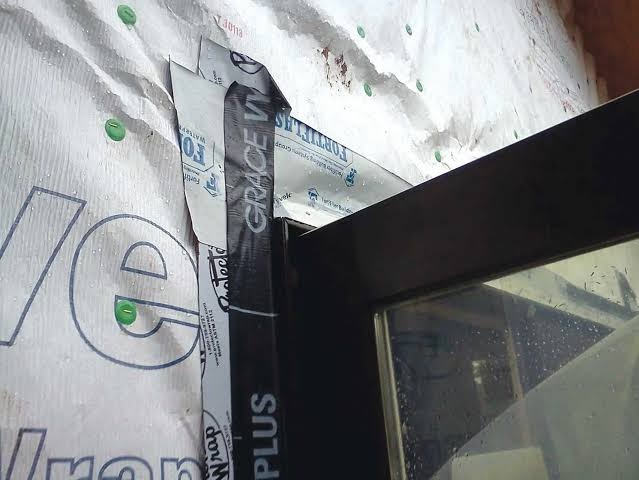
East window flashing is lifting at the head. Needs redoing before the cladding goes on.
K
KenPour's booked for Thursday, 7am 🚚
@Blue what did the client decide for the lobby finish?
Blue is typing
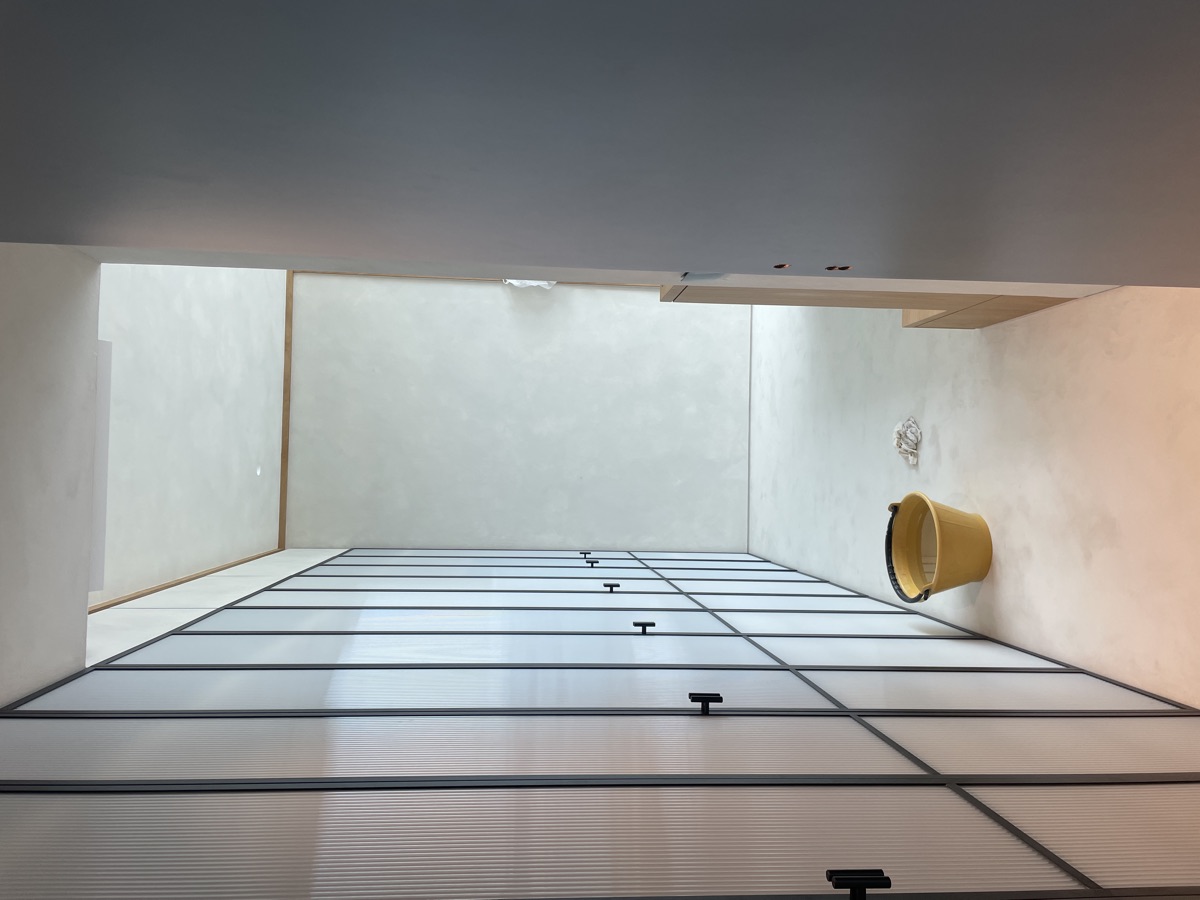
BlueMaya chose warm white (sample B) for the lobby on 12 Nov, so it matches the corridor.Client chat · 12 Nov
Priya · east-window-head.jpg
Blue suggestion · Task
Redo east window flashing
PPriyaBefore cladding
AcceptNot now
Client chat · WhatsApp · 12 Nov
MayaLet's go with warm white for the lobby, same as the corridor 👍
Source for Blue's answer
Ask it the way you'd ask your site manager.
Where did we land on the lobby paint colour?
Show me last week's photos of the Level 3 ceiling
Who's on the concrete pour Thursday?
Find the door hardware schedule
Which tasks are overdue on Lake View?
What did Alvin say in his voice note?
What did the client say about the variation?
When is the crane booked?
Has anyone sent the scaffold certificate?
Summarise today in Site Team
Draft this week's progress report
What's still open from Monday's inspection?
A teammate, not another app to check.
Blue lives inside the OnSite chats your team already uses. It reads along, answers when asked, and keeps the paperwork moving.
ChatsPhotosVoice notesFilesFormsTasks
It already knows the job. Blue reads the chats, photos, files and forms on your projects, so you never have to brief it.
Blue suggestion
Priya says the east window flashing needs redoing. Want me to make it a task for her?
Yes, create itNot now
It spots the work and asks first. Blue suggests tasks and forms from the conversation. Nothing changes until someone accepts.
K
Ken · WhatsApp@Blue who's on the pour Thursday?
BlueMarcus's crew, from 7am. The pump is confirmed.
K
Ken · WhatsAppLegend 👍
It answers in the group. @mention Blue in any chat, including connected WhatsApp groups, and the whole team sees the answer.
Blue in chats
Bring Blue into the group chat.
Add Blue to a chat and it becomes part of the team. @mention it with a question and everyone in the conversation gets the answer, right where the work is happening.
Chat admins add Blue in a tap
Answers when someone @mentions it or replies to it
Joins connected WhatsApp groups too
Careful about who can see what
🚪
Fit-out · Level 4Ken, Priya, Sarah, Blue and 4 others
K
Ken · WhatsAppAnyone know if the L4 fire doors got signed off?
S
Sarah@Blue can you check?
BlueNot yet. The inspection is booked for Friday at 2pm, and 2 of the 6 doors still need closers fitted. Priya flagged it on Tuesday.Defects & Snags · Tue
K
Ken · WhatsAppThanks Blue, I'll get the closers on tomorrow 👍
Blue is in this chatBlue answers when someone @mentions it or replies to it.
Same reply in WhatsApp
OnSite BlueNot yet. The inspection is booked for Friday at 2pm…
Ask Blue
Ask anything. Get answers with receipts.
Open Ask Blue from any project and ask the way you'd ask a colleague. Blue looks across the whole job and shows you exactly where each answer came from.
Searches chats, photos, files, forms and tasks
Every answer links back to its source
A private conversation, just between you and Blue
Ask in your own language
Try asking
Ask BluePrivate conversation
Lake View Residences
What did the client decide for the lobby?
Blue is typing
Maya chose warm white (sample B) for the lobby walls on 12 Nov, to match the corridor. Painting starts once the ceiling is closed up.
Client chat · 12 NovFinishes schedule rev C.pdf
Maya chose warm white (sample B) for the lobby walls on 12 Nov, to match the corridor. Painting starts once the ceiling is closed up.
Client chat · 12 NovFinishes schedule rev C.pdf
Three things are overdue on Lake View:
Scaffold certificate Ken · due Mon
Redo east window flashing Priya · due Tue
RFI-042 glazing response Sarah · due Wed
Tasks · Lake View
The mobile crane is booked for Tue 2 Dec, 6:30am. Ken confirmed it in Site Team yesterday, and the lift plan is in Files.
Site Team · MonLift plan.pdf
Here's a draft with 14 updates, 23 photos and 6 completed tasks from this week. Have a look before you send it.
Weekly progress reportDraft · 4 pages
6 chats23 photos
Memory & photos
It remembers what was said, and what was shown.
Months of messages, voice notes, photos and files become a memory Blue can search in seconds. No more scrolling back through a group chat for that one photo.
Finds photos by what's in them
Recalls messages and voice notes from months back
Reads the PDFs and documents shared in chat
Keeps a Chat Context of decisions and who does what
Find the photo of the lifted flashing on the east window
Found it. Priya sent this in Defects & Snags on 28 Oct, with two more from the same visit.
Priya · 28 Oct · 9:41am
Chat ContextSite Team
This chat is for
Day-to-day coordination on Lake View
Decided
Lobby walls in warm white, sample B (12 Nov)
Who does what
Ken: scaffold and crane Priya: finishes and defects
Suggested by Blue, accepted by Sarah
Tasks & forms
From voice note to task or form, in one tap.
Blue listens for the work hiding in your conversations and gets it ready: tasks with owners and due dates, forms filled in from photos and updates. You review, then accept.
Spots tasks, owners and due dates in chat
Fills in forms from photos, voice notes and messages
Tell Blue what to change before you accept
Nothing changes until someone accepts
K
Ken · Site Team
0:21
East side scaffold needs tagging before Monday. And can someone log today's toolbox talk? Working at heights, eight of us.
2 Blue suggestionsNothing changes until you accept.
New task
Tag east-side scaffold
KKenMon 30 NovEast elevation
AcceptEdit
Toolbox talk record · 5 of 6 fields filled
Date
Today
Topic
Working at heights
Presenter
Ken
Attendees
8
Sign-off
Needs you
Review & submit
Keeps the whole team up to speed.
Not just answers on demand. Blue briefs you each morning, keeps watch on what matters and drafts the reports nobody wants to write.
Morning overviewWed 25 Nov · Lake View Residences
Needs attention
Scaffold certificate is 2 days overdue (Ken)
Client asked about lobby lighting, no reply yet
Today
Level 3 slab pour, 7am
Fire door inspection, 2pm
From the chats
Priya closed out the L2 snag list
Electrical rough-in done on L5
A briefing before the first coffee. Each morning Blue sends you what needs attention, what's on today and what happened in the chats.
Khi nào đổ bê tông sàn tầng 3?
Thứ Năm lúc 7 giờ sáng. Ken đã đặt xe bơm rồi.Thursday at 7am. Ken has booked the pump.
Speaks your crew's language. Ask in Vietnamese, Mandarin, English or whatever your crew speaks. Blue answers in the language you asked in.
WatchingTell me when the scaffold certificate is uploaded
Update from Blue · 9:12amKen uploaded the scaffold certificate to Files.
Keeps watch for you. Ask Blue to keep an eye on something and it tells you when it meaningfully changes.
Weekly progress report · Draft
Reports in seconds. Blue drafts weekly reports from the week's updates, photos and finished tasks, ready for you to check.
Rules for Blue
Reply in English and Vietnamese.
Never share pricing outside the Commercial chat.
Use 24-hour times.
Only admins can change these.
Your rules, in every answer. Admins set rules Blue follows in a chat or across a whole project.
Built to be trusted on the job.
Blue is useful because your team can check its work. It shows its sources, respects who can see what, and waits for a person to say yes.
Shows its sources
Every answer links back to the message, photo or file it came from, so you can check before you act.
Respects permissions
Blue only works with what the person asking can see, and takes care with what it shares in a group.
Waits for a yes
Tasks, forms and Chat Context changes stay as suggestions until someone on your team accepts them.
Company-controlled
OnSite is SOC 2 Type I certified, and your project history stays under your company's control.
 Client chat · WhatsApp · 12 Nov